How to Find a HEX Color Code and Build a Color Palette Online (Free)
Every color on a screen has a code, and most jobs need it in a particular format: HEX for a website, RGB for an app, HSL when you want a lighter version, CMYK for a print shop. The ToolTiny color picker gives you all four at once, then goes further: it builds palettes that match your color, tells you whether text in that color is readable, and lists ready-made Tailwind, CSS and brand colors. This guide follows a real screen recording with the color #BC1ACB, a strong purple.
HEX, RGB, HSL or CMYK: Which One When?
| Format | Our example | Use it for |
|---|---|---|
| HEX | #BC1ACB | CSS, HTML, design tools, sharing a color in a chat |
| RGB | rgb(188, 26, 203) | CSS, apps and code that want three numbers from 0 to 255 |
| HSL | hsl(295, 77%, 45%) | Making a color lighter, darker or softer by changing one number |
| CMYK | cmyk(7%, 87%, 0%, 20%) | A first value for printed work; confirm it with your printer |
Watch the Whole Process
The recording opens the tool from the menu, picks a color, types a HEX code, builds palettes, tests three backgrounds in the contrast checker and scrolls through the color tables.
How to Find a Color Code and Build a Palette, Step by Step
-
Open the Color Picker
Open the Developer menu in the top bar and choose Color Palette Generator, or go straight to tooltiny.com/color-palette.html.

Developer → Color Palette Generator -
Look at the workspace
The tool sits right under the title. On the left is a large color square with a rainbow hue bar; on the right a preview with the nearest CSS color name and four boxes: HEX, RGB, HSL and CMYK. Our page opened on a color we had used before, #D43FE2, which it labels ≈ mediumorchid.
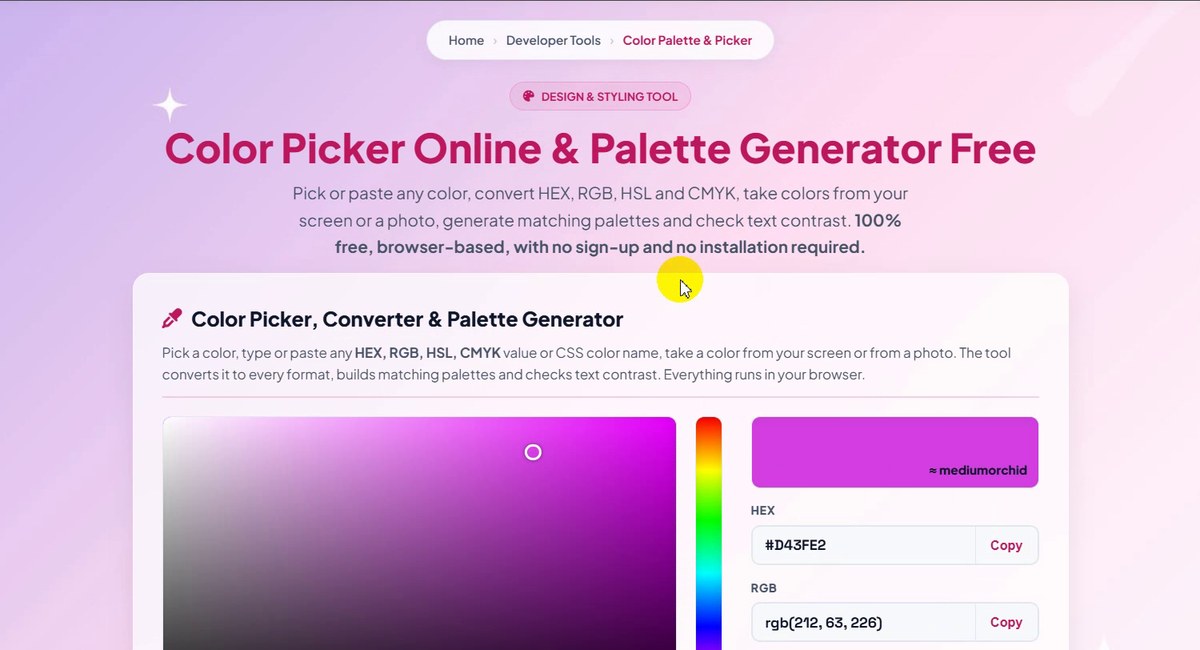
Picker on the left, codes on the right -
Pick a color with the mouse
Click or drag inside the square. Left to right changes how strong the color is, top to bottom how light it is. The rainbow bar on its right changes the hue. We clicked once and got #9C25A7, which the tool shows as rgb(156, 37, 167), hsl(295, 64%, 40%) and cmyk(7%, 78%, 0%, 35%), close to darkorchid.
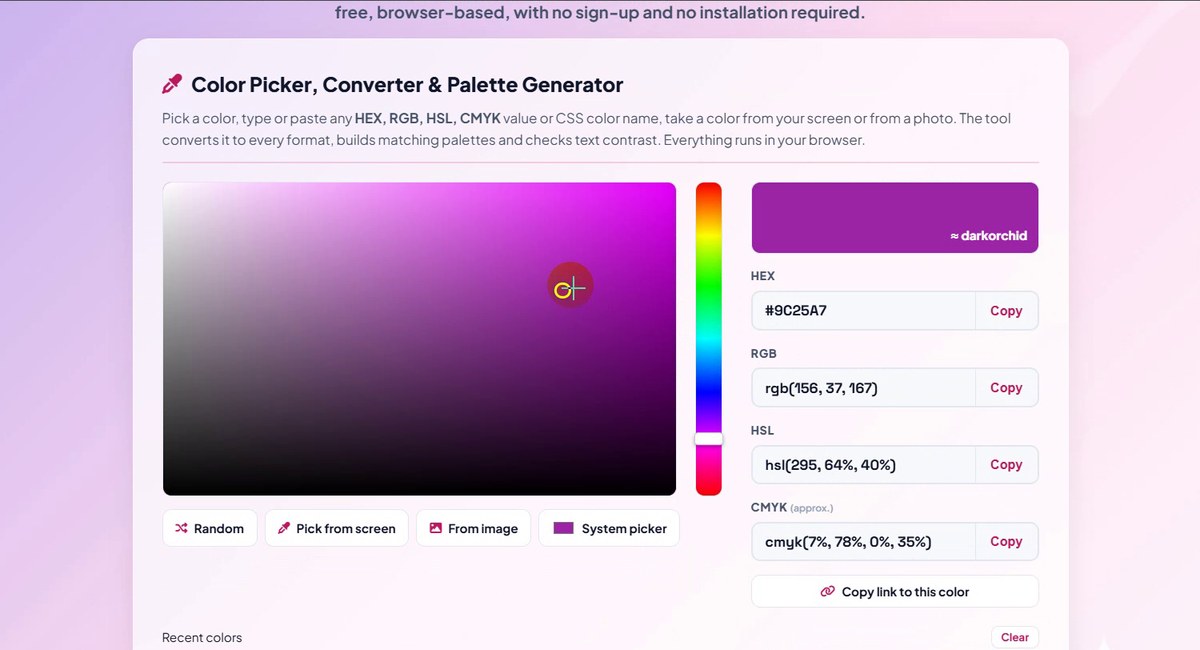
Click or drag in the square -
Or type a HEX code
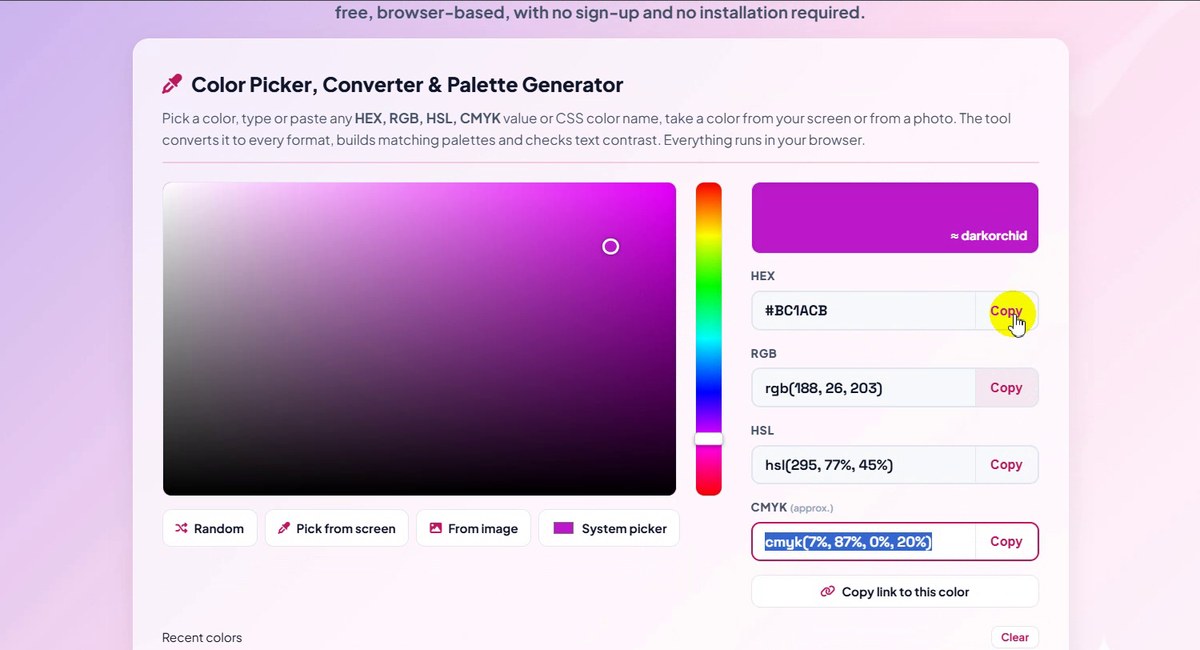
Already have a code? Type it in the HEX box. We typed #BC1ACB and every other box changed at once: rgb(188, 26, 203), hsl(295, 77%, 45%) and cmyk(7%, 87%, 0%, 20%). The address bar also changed to color-palette.html#BC1ACB, a link that opens the same color.
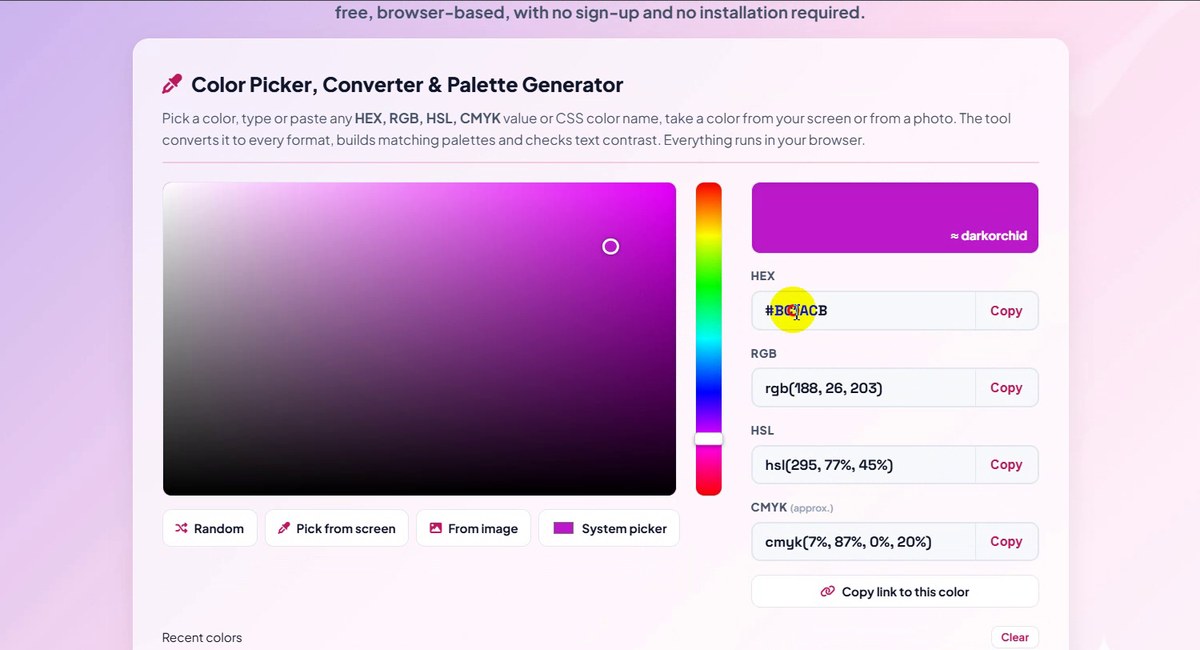
Type a HEX code, get every format -
Edit RGB, HSL or CMYK directly
The other three boxes are not read-only. Click into HSL (or RGB, or CMYK), change a number and the color follows. This is the easiest way to make a color a little lighter: raise the last HSL number.
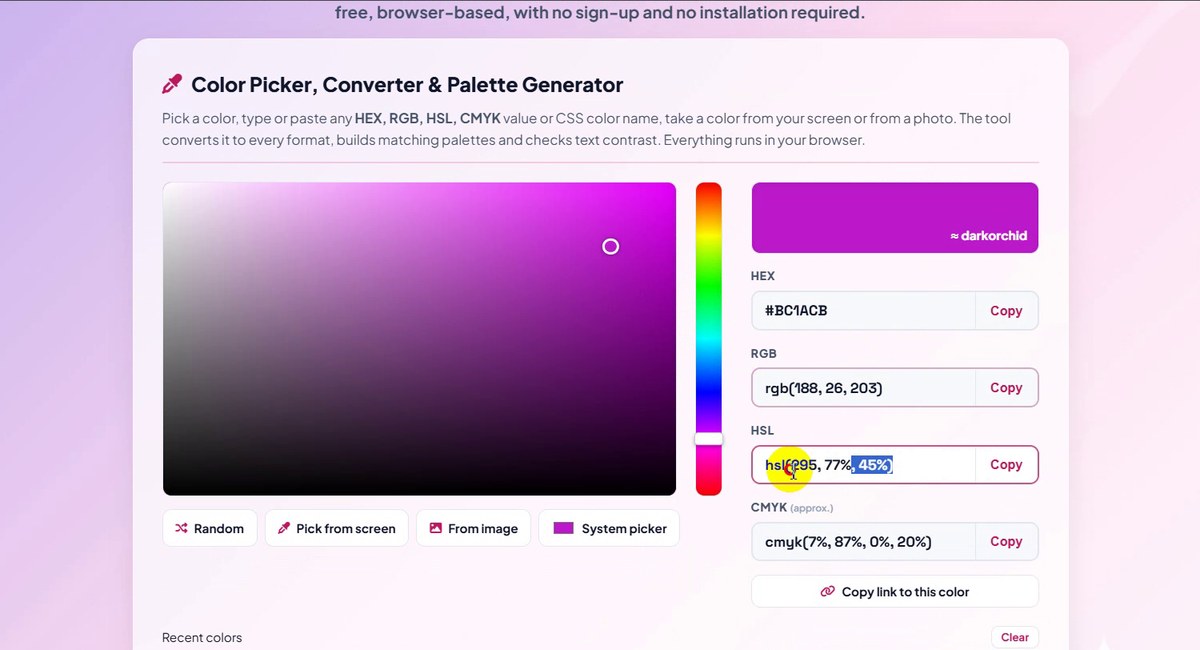
Every box can be edited -
Copy the code you need
Each box has its own Copy button. Under the boxes, Copy link to this color copies the page address with the color in it, handy for sending to a teammate. The buttons under the square, Random, Pick from screen, From image and System picker, give you other ways to start.
Copy any format with one click -
Palettes from this color
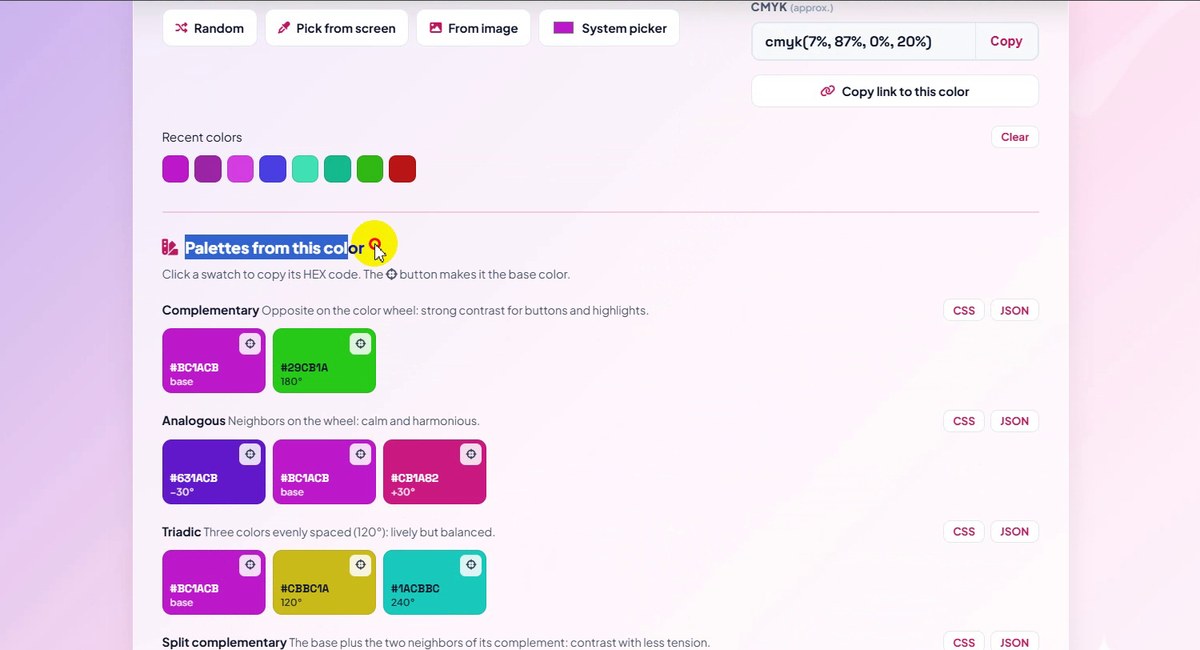
Scroll a little. Recent colors keeps the colors you used, and Palettes from this color builds matching colors for you. For #BC1ACB the Complementary color is #29CB1A, Analogous adds #631ACB and #CB1A82, and Triadic adds #CBBC1A and #1ACBBC. Click a swatch to copy it.
Complementary, analogous, triadic -
More palettes, tints and shades
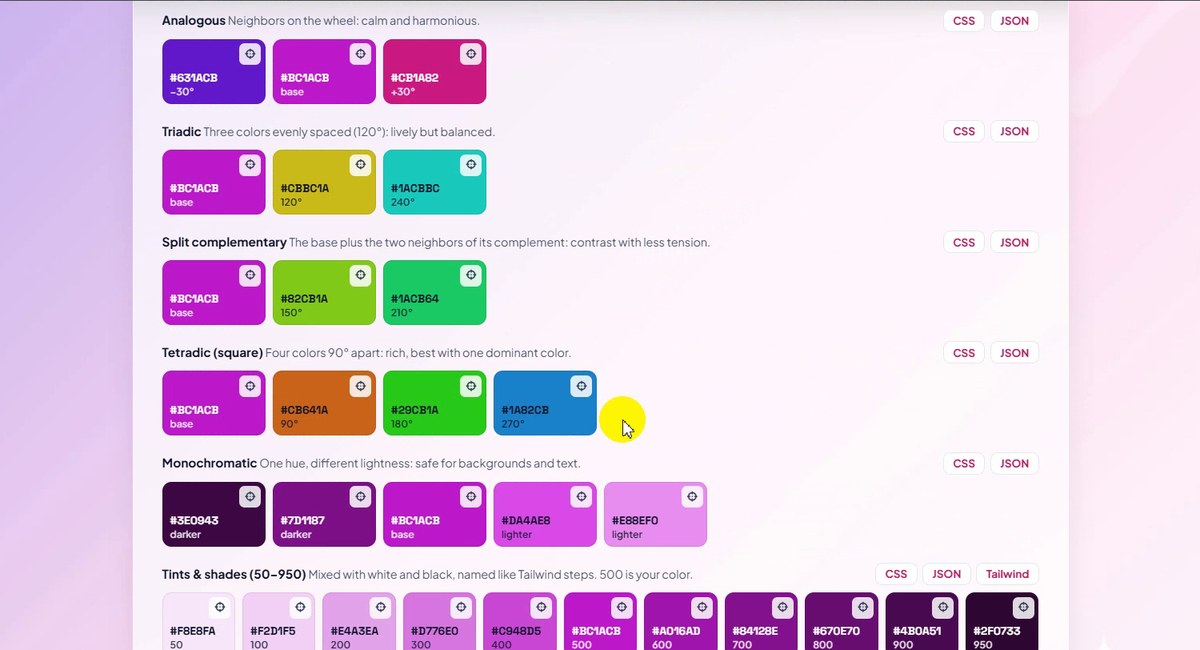
Further down come Split complementary, Tetradic (square), Monochromatic and Tints & shades (50–950), where 500 is your color, 50 the lightest and 950 the darkest. Every row has CSS and JSON buttons, and the tints row also Tailwind, to copy the whole row at once.
Tints & shades with CSS, JSON, Tailwind export -
Check the contrast
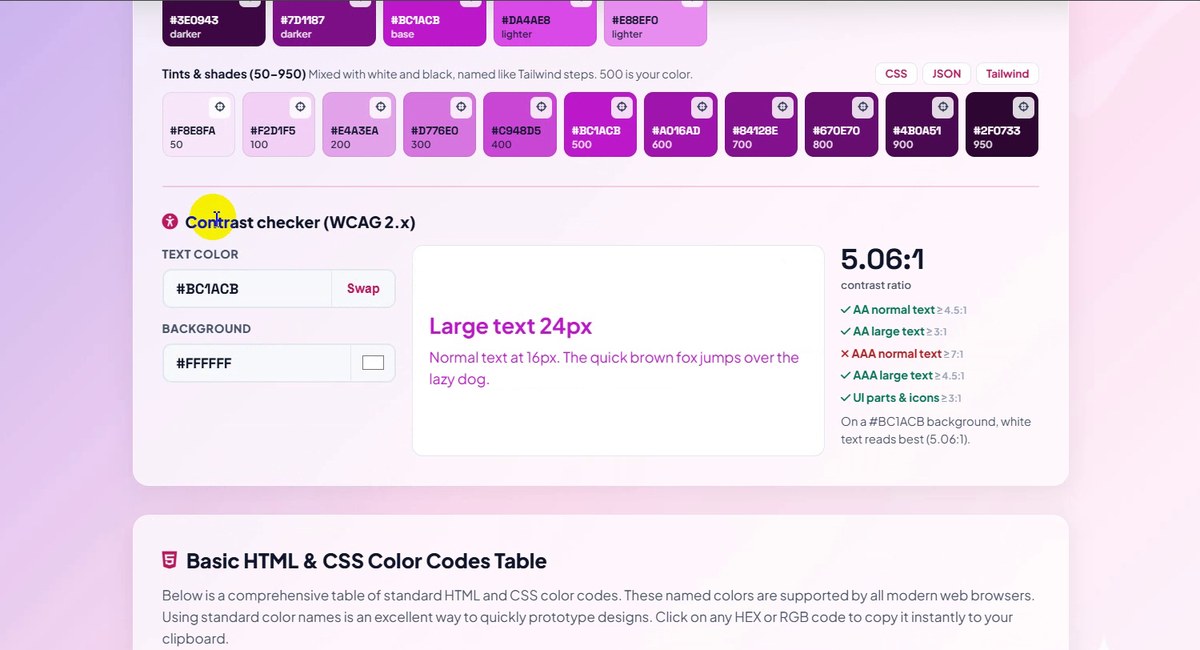
The Contrast checker (WCAG 2.x) uses your color as the text color. On a white background #BC1ACB scored 5.06:1: enough for AA normal text (4.5:1) and AA large text (3:1), but not for AAA normal text, which needs 7:1.
5.06:1 on white -
Try another background
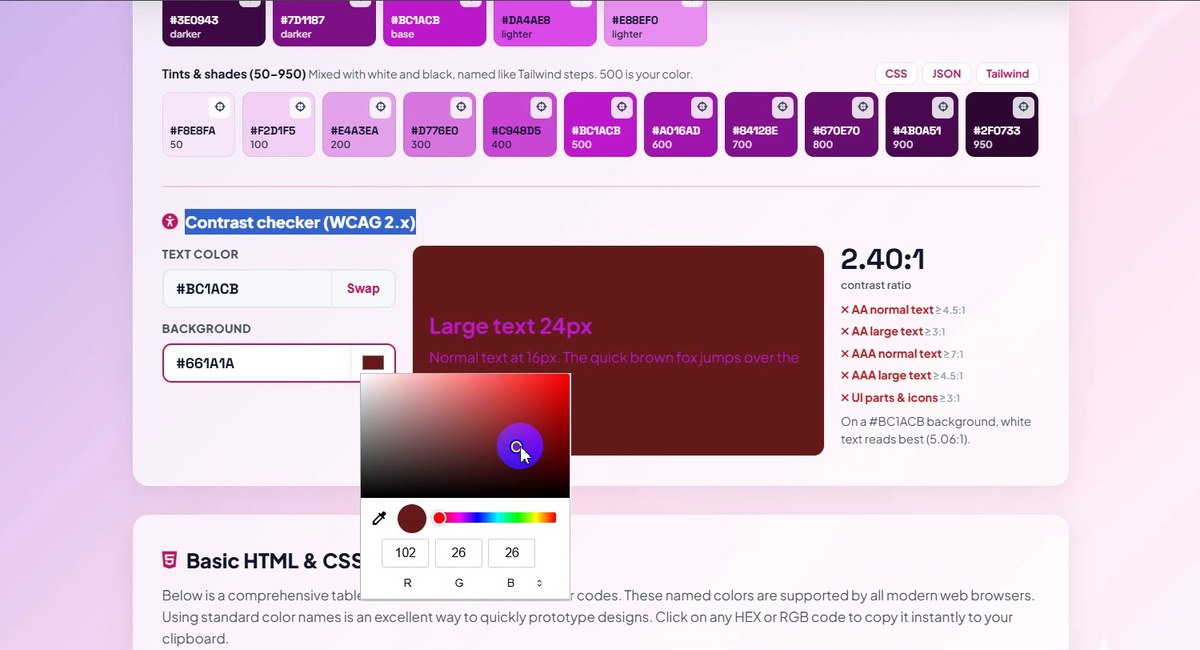
Click the small color box next to Background to open a color chooser, or type a code. With a dark red #661A1A behind it the ratio fell to 2.40:1 and every check turned red.
Dark red background: 2.40:1 -
See when text becomes hard to read
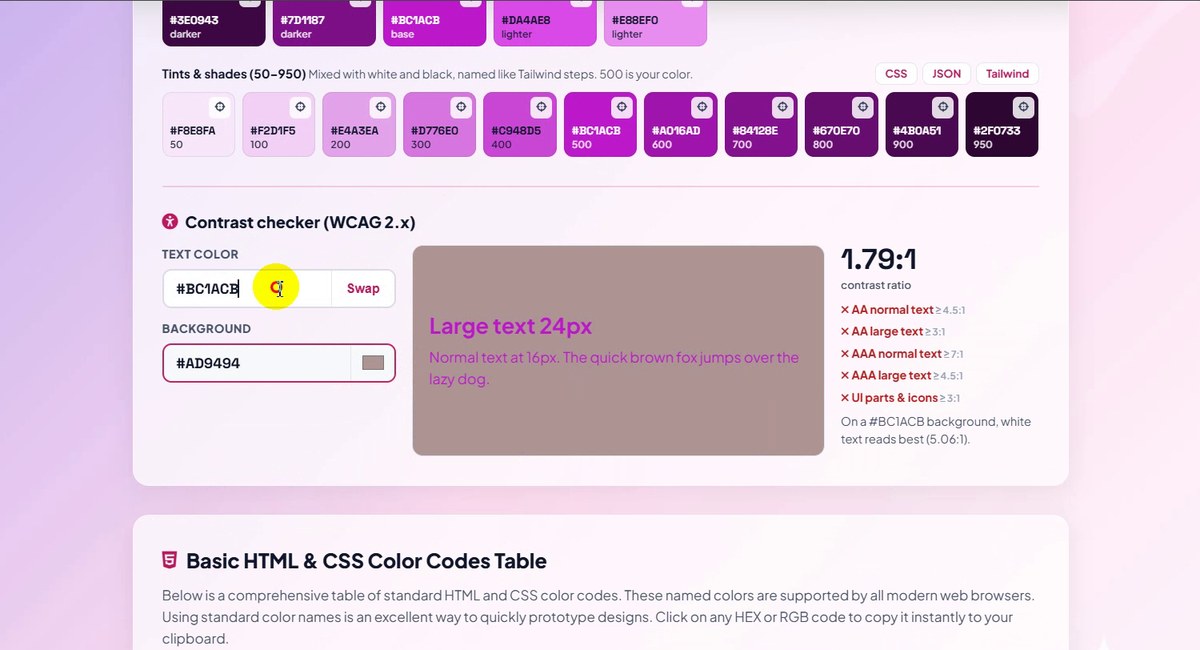
With a grey-pink background #AD9494 the result was 1.79:1. The sample text on the left shows why: it almost disappears. The line under the checks also says which plain text color suits your color best: white text reads best (5.06:1) on a #BC1ACB background.
1.79:1, too low for any text -
Basic HTML & CSS color codes
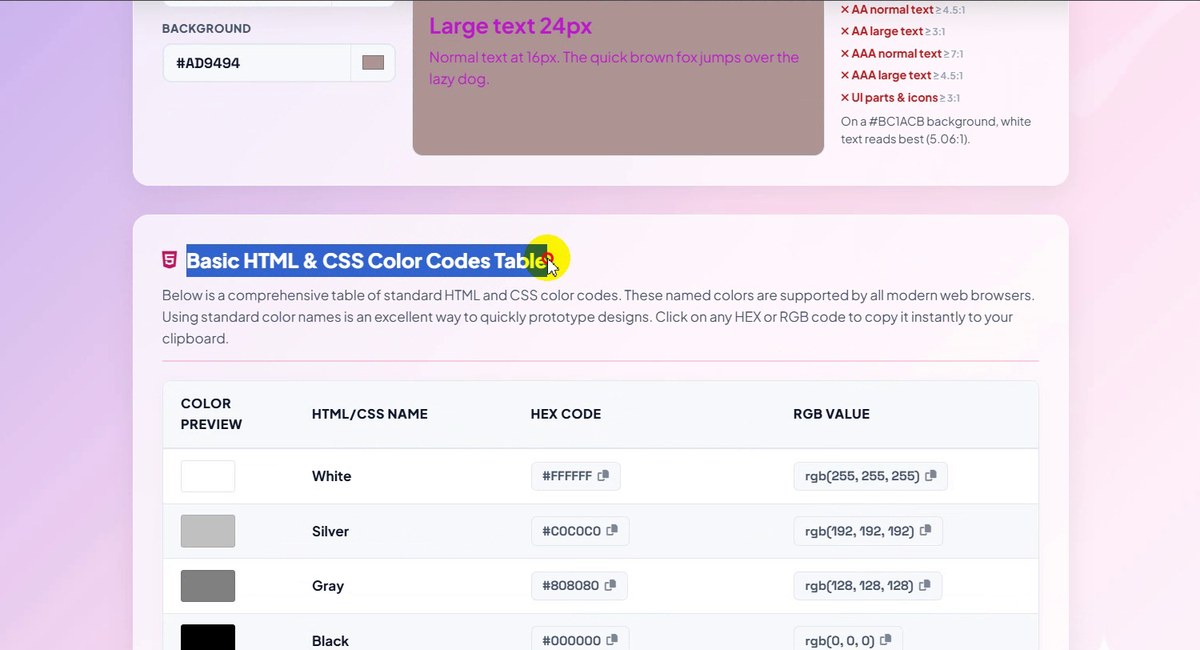
Below the tool, the Basic HTML & CSS Color Codes Table lists the 16 classic web colors (White, Silver, Gray, Black, Red…) with HEX and RGB. Click a code to copy it.
The 16 classic web colors -
Tailwind CSS and Material Design
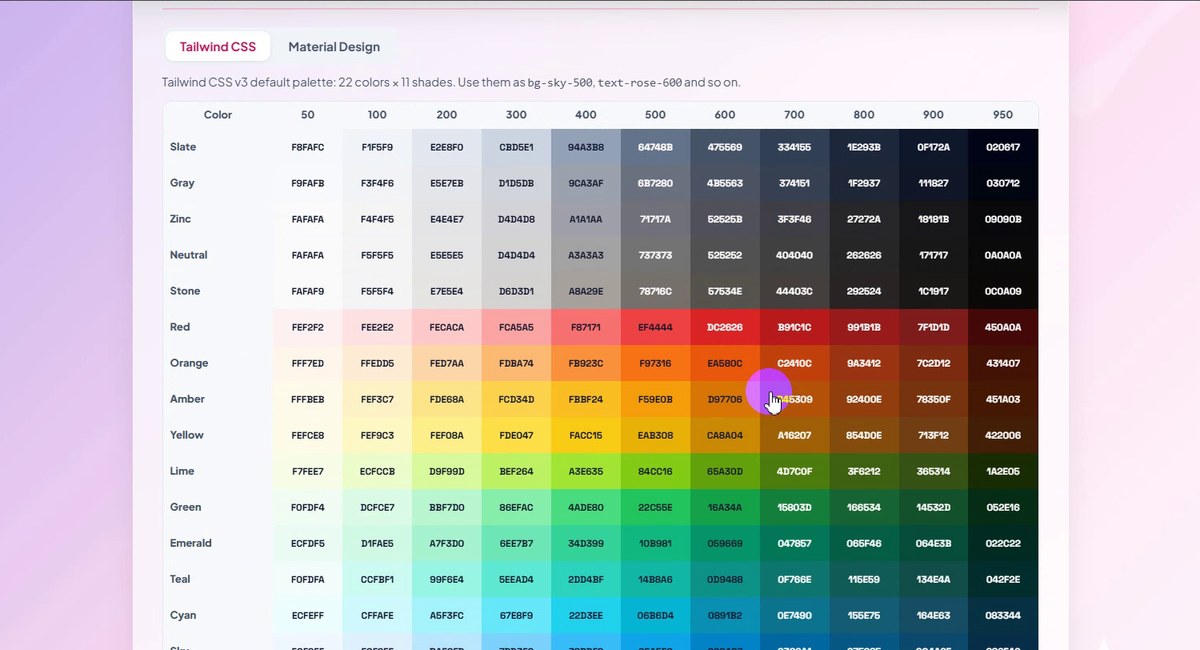
The next table holds the Tailwind CSS palette (22 colors × 11 shades) and, on the second tab, Material Design. Each cell shows its HEX code and copies it with one click.
Tailwind CSS and Material Design tabs -
All CSS named colors
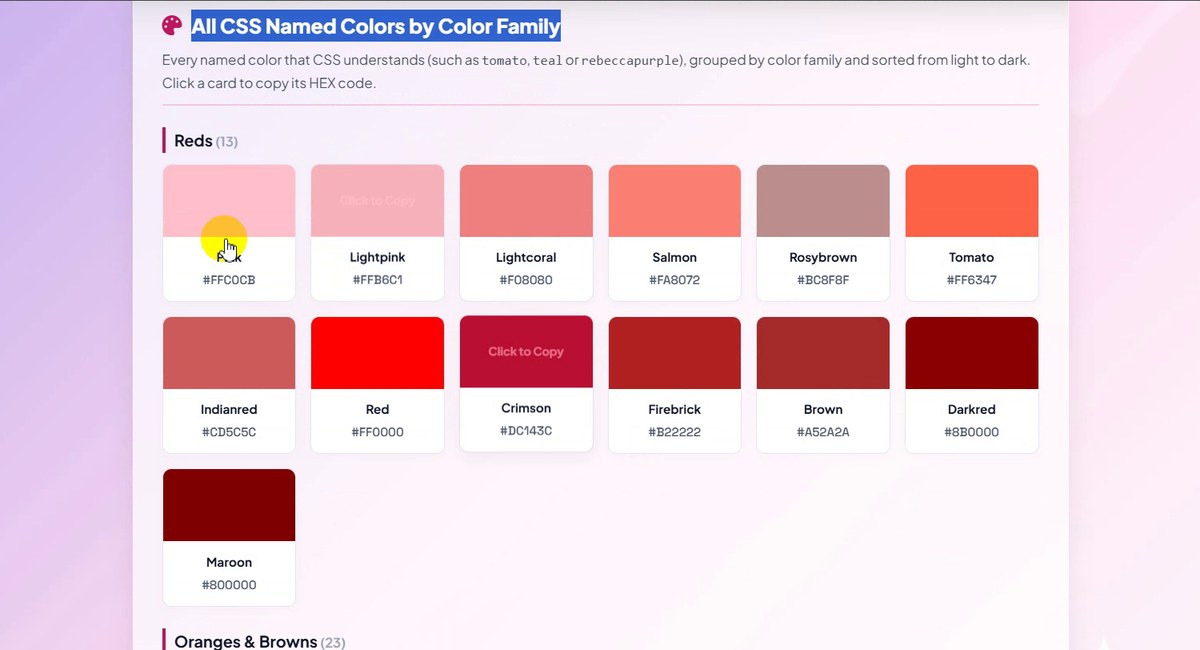
All CSS Named Colors by Color Family shows every color name CSS understands, such as tomato, teal or rebeccapurple, grouped into families like Reds (13). Point at a card and it says Click to Copy.
Named colors, grouped by family -
CMYK colors for printing
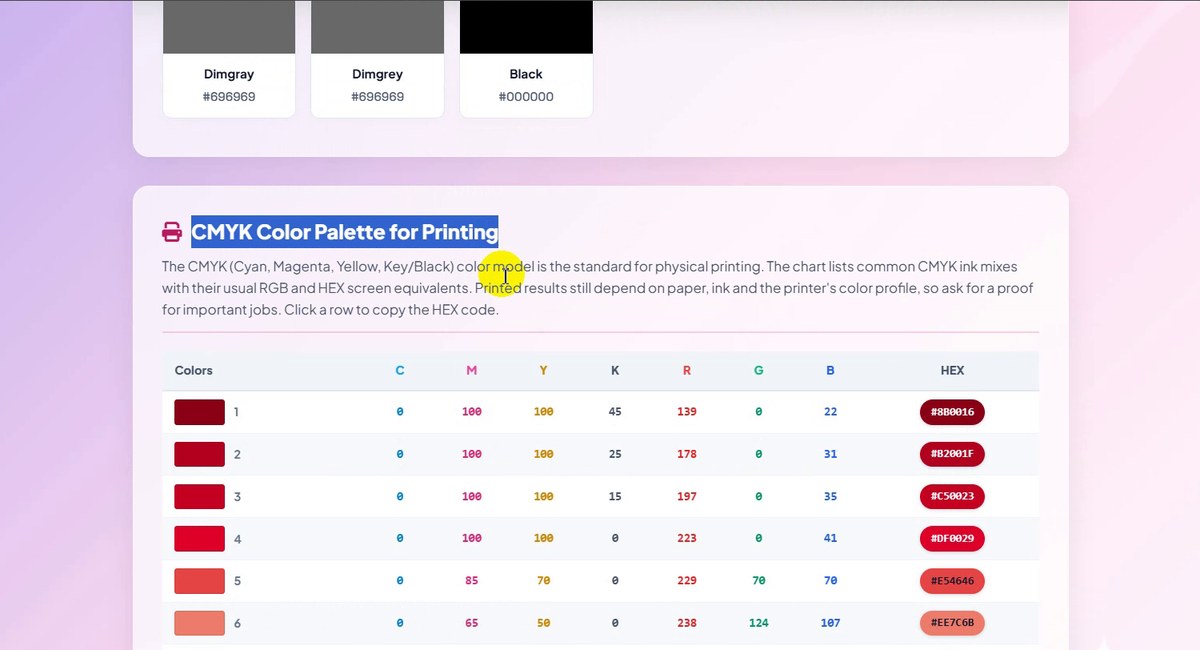
The CMYK Color Palette for Printing lists ink mixes (C, M, Y, K) with their usual R, G, B and HEX screen values. The page notes that print results still depend on paper, ink and the printer’s color profile.
CMYK chart for print -
Brand colors
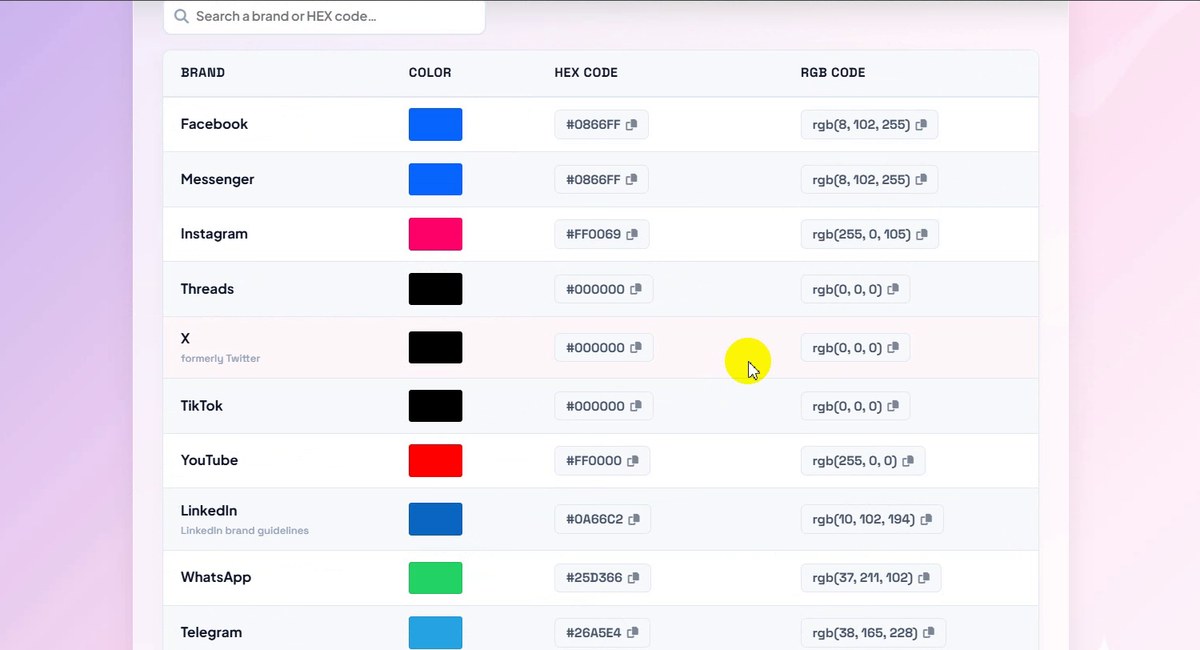
Last comes Social Media & Tech Brand Colors, with a search box. In our recording it showed Facebook #0866FF, Instagram #FF0069, X (formerly Twitter), TikTok, YouTube #FF0000, LinkedIn #0A66C2, WhatsApp #25D366 and Telegram #26A5E4, then many more.
Brand colors with search
Which Palette for What?
| Palette | From #BC1ACB | Good for |
|---|---|---|
| Complementary | #29CB1A | One strong accent: a button or a badge that must stand out |
| Analogous | #631ACB, #CB1A82 | Calm designs, gradients, illustrations |
| Triadic | #CBBC1A, #1ACBBC | Playful designs; let one color lead and use the others sparingly |
| Split complementary | #82CB1A, #1ACB64 | Contrast with less clash than the complementary pair |
| Tetradic | #CB641A, #29CB1A, #1A82CB | Charts and dashboards that need four clearly different colors |
| Monochromatic / tints & shades | #F8E8FA … #2F0733 | Backgrounds, borders, hover states, text in the same family |
Contrast in One Minute
Contrast ratio compares how light two colors are, from 1:1 (the same) to 21:1 (black on white). The WCAG accessibility guidelines ask for:
- AA: 4.5:1 for normal text, 3:1 for large text (about 24 px, or about 18.7 px bold) and for icons or buttons.
- AAA: 7:1 for normal text, 4.5:1 for large text.
Our three tests make it concrete: #BC1ACB on white reached 5.06:1 (AA passes, AAA normal text does not), on dark red #661A1A only 2.40:1, and on grey-pink #AD9494 just 1.79:1. Two colors can look very different and still be too close in lightness to read comfortably.
Good to Know
- The page remembers. Recent colors stay in your browser, and the last one opens next time.
- The ≈ name is the nearest match. Our purple is not a CSS named color, so the tool shows the closest one, darkorchid.
- CMYK is approximate. The tool says so next to the box; print depends on paper, ink and printer.
- Pick from screen needs a desktop Chromium browser (Chrome, Edge, Opera). From image works everywhere.
- Brand colors change. The table cites its source; check a brand’s own guidelines for official use.
- Private and free: it runs in your browser with no sign-up.
Tips for Better Color Choices
- Start with one color, not five. Pick the main brand color, then let the palette rows suggest the rest.
- Use tints for backgrounds. Shades 50–100 make soft backgrounds; 700–900 work for text in the same family.
- Check text before you fall in love with a color. Run every text and background pair through the contrast checker.
- Save the whole row. Copy a palette as CSS variables or a Tailwind config instead of copying swatches one by one.
- Need the color on a QR code? Paste the HEX into the QR Code Generator, and keep it dark on a light background. More guides are on our blog.
Pick, paste or upload, then copy HEX, RGB, HSL or CMYK. Free, no sign-up.