How to Calculate Loan EMI, Compound Interest and VAT Online (Free)
How much will a loan cost each month? How big will your savings grow? What is the price with VAT? The ToolTiny Financial Calculator answers all three on one page, live as you type, without sign-up. This guide follows a one-minute screen recording; every figure below is the one shown on screen.
Three Calculators in One
| Tab | What you enter | What you get |
|---|---|---|
| Loan / EMI | Amount, rate, term, extra payment, first payment | Monthly payment, total interest, payoff date, amortization schedule |
| Compound Interest | Initial investment, monthly contribution, rate, years, compounding, inflation | Future value, contributions, interest, growth by year |
| Sales Tax / VAT | Price before or including tax, rate, quantity | Gross, tax and net amounts, per-item split |
Watch the Whole Process
The recording opens the tool from the Converters menu, calculates a loan and its schedule, projects a savings plan with different compounding options and finishes with VAT.
How to Use the Financial Calculator, Step by Step
-
Open the Converters menu
On the ToolTiny home page, move the mouse over Converters in the top bar and click Financial Calculator. You can also go straight to tooltiny.com/financial-calculator.html.
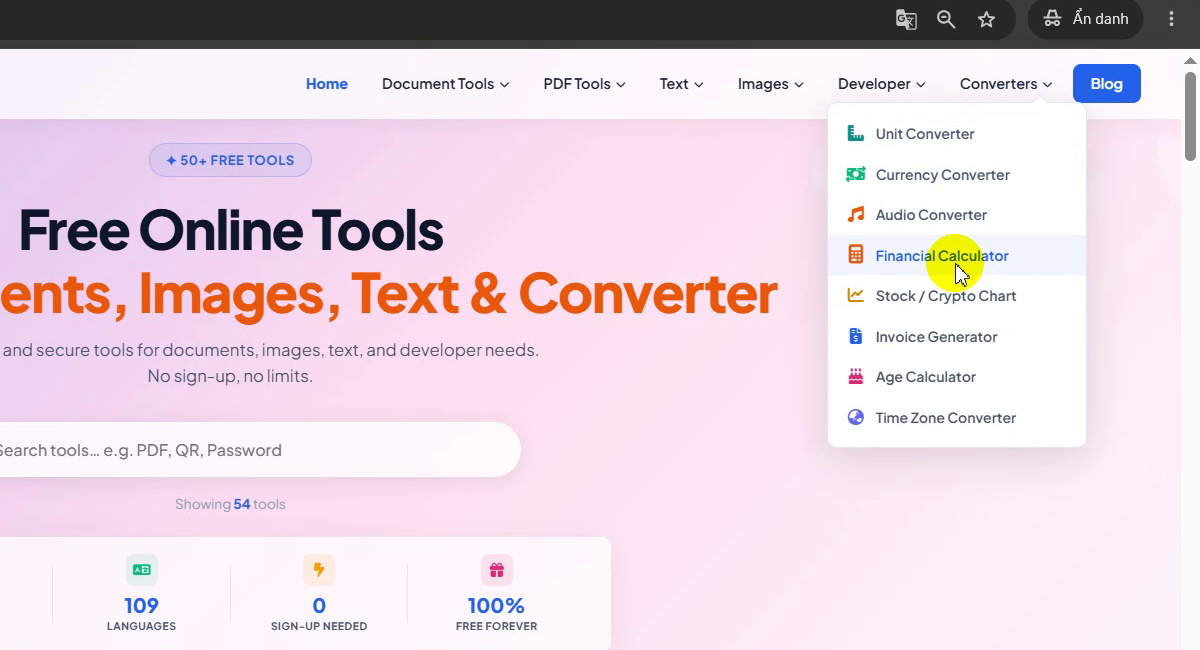
Converters → Financial Calculator -
Meet the three calculators
The page has three tabs: Loan / EMI, Compound Interest and Sales Tax / VAT. The loan tab opens with an example: $10,000 at 5% for 5 years gives a monthly payment of $188.71, total interest $1,322.74 and total paid $11,322.74, paid off in Nov 2031 after 60 payments.
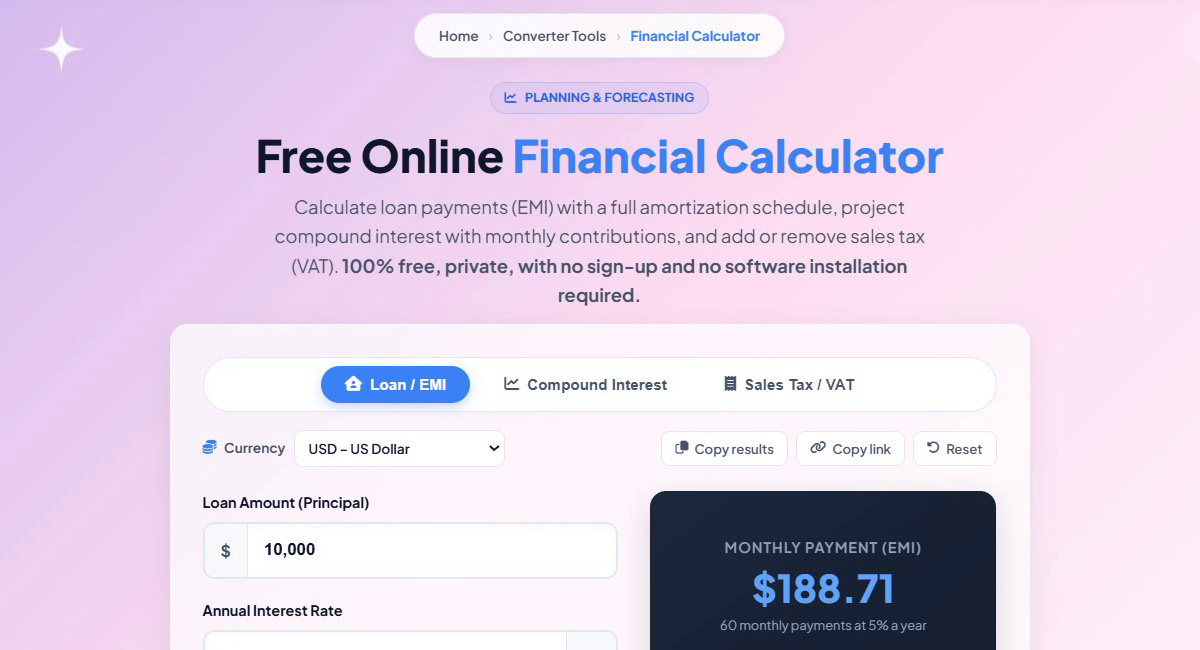
Loan / EMI, Compound Interest, Sales Tax / VAT -
Pick your currency
Open Currency to switch symbols and number formats: USD, EUR, GBP, VND, JPY, INR, CNY, KRW, AUD, CAD, SGD, THB, IDR, MYR, PHP, BRL and CHF. The recording keeps USD – US Dollar.
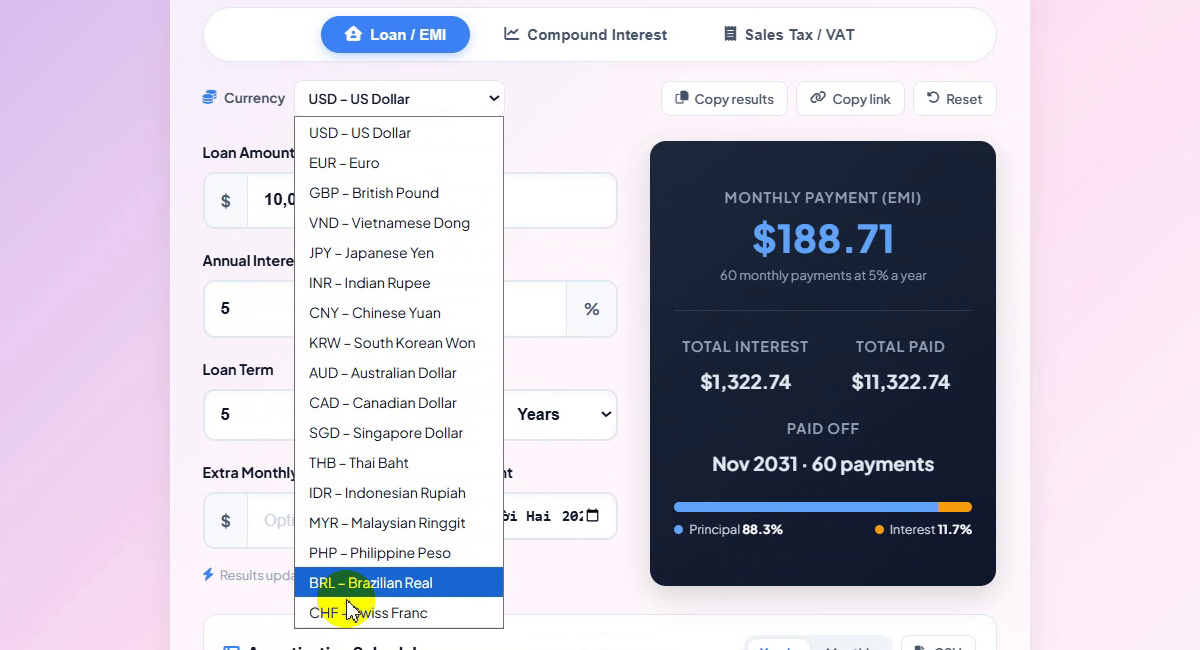
17 currencies -
Enter the loan
Type the loan amount, the annual interest rate and the loan term in years or months. Results update as you type. With $50,000 at 10% over 8 years the monthly payment is $758.71: 96 payments, total interest $22,835.99, total paid $72,835.99, paid off in Nov 2034. The bar shows principal 68.6% and interest 31.4%. You can also add an extra monthly payment and pick the first payment month.
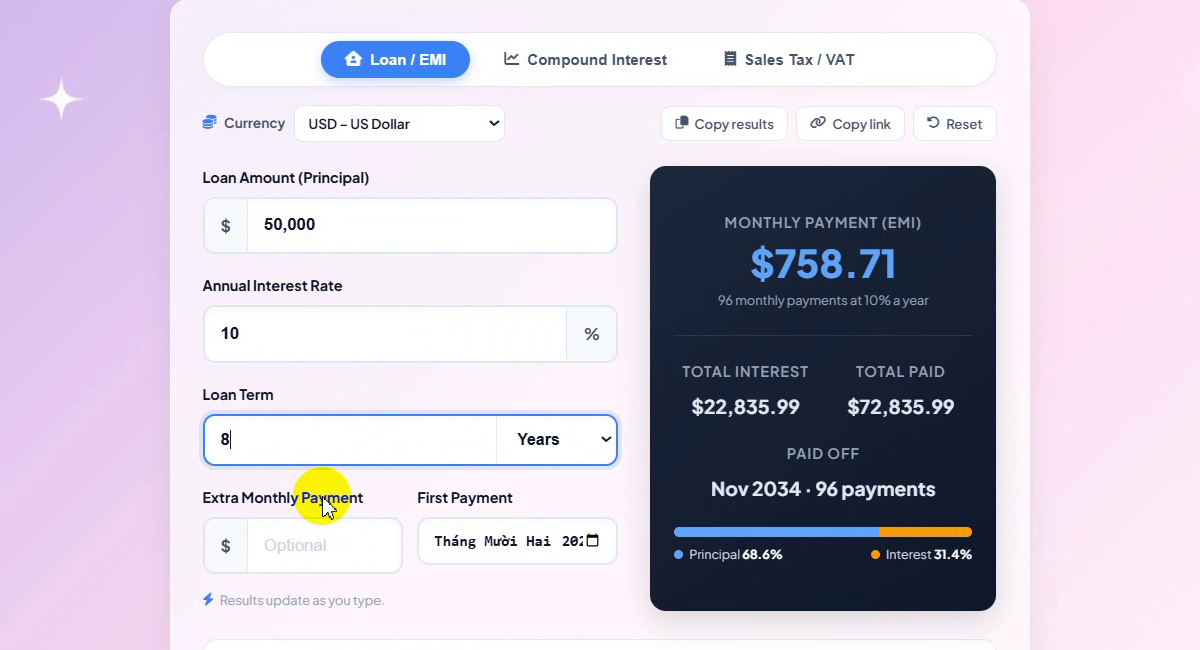
$50,000 · 10% · 8 years -
Read the amortization schedule
Scroll down to the Amortization Schedule. The chart shows the remaining balance at the end of each year and the interest paid so far; the table lists payments, amount paid, principal, interest and balance per year. In the example 2027 has 12 payments of $9,104.50 in total, and the balance reaches $0.00 in 2034. Switch between Yearly and Monthly, or save it with CSV.
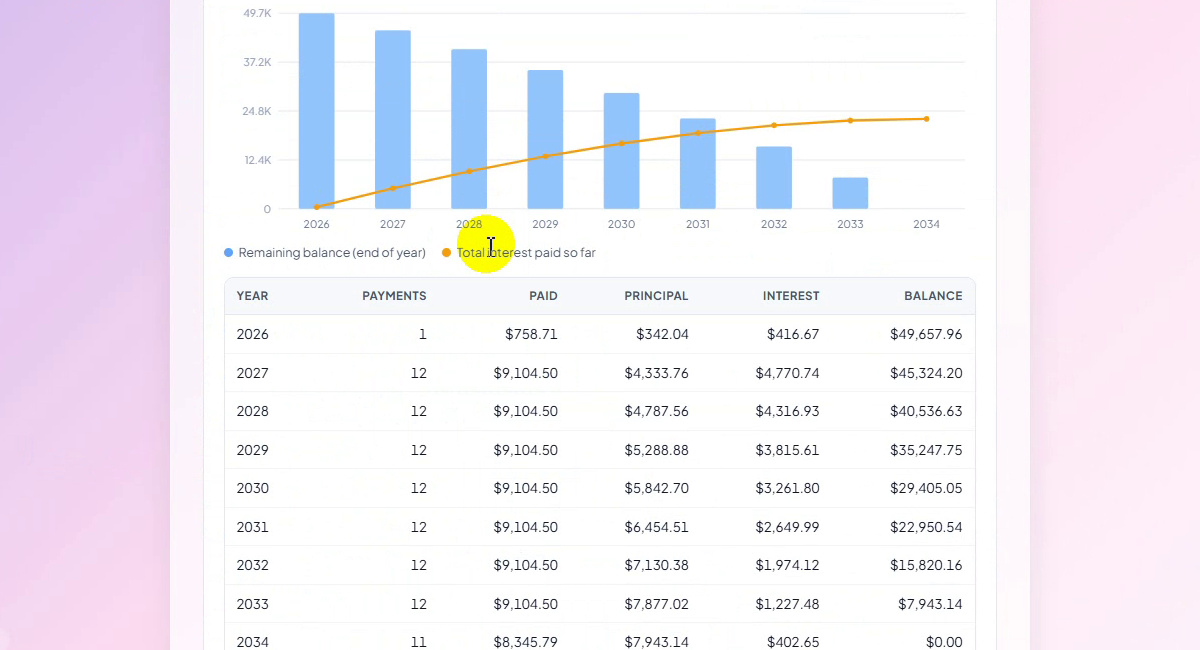
Yearly amortization schedule -
Switch to Compound Interest
Click the Compound Interest tab. The example invests $1,000 plus $100 a month at 7% for 10 years: future value $19,318.14, total contributions $13,000.00 and total interest $6,318.14.
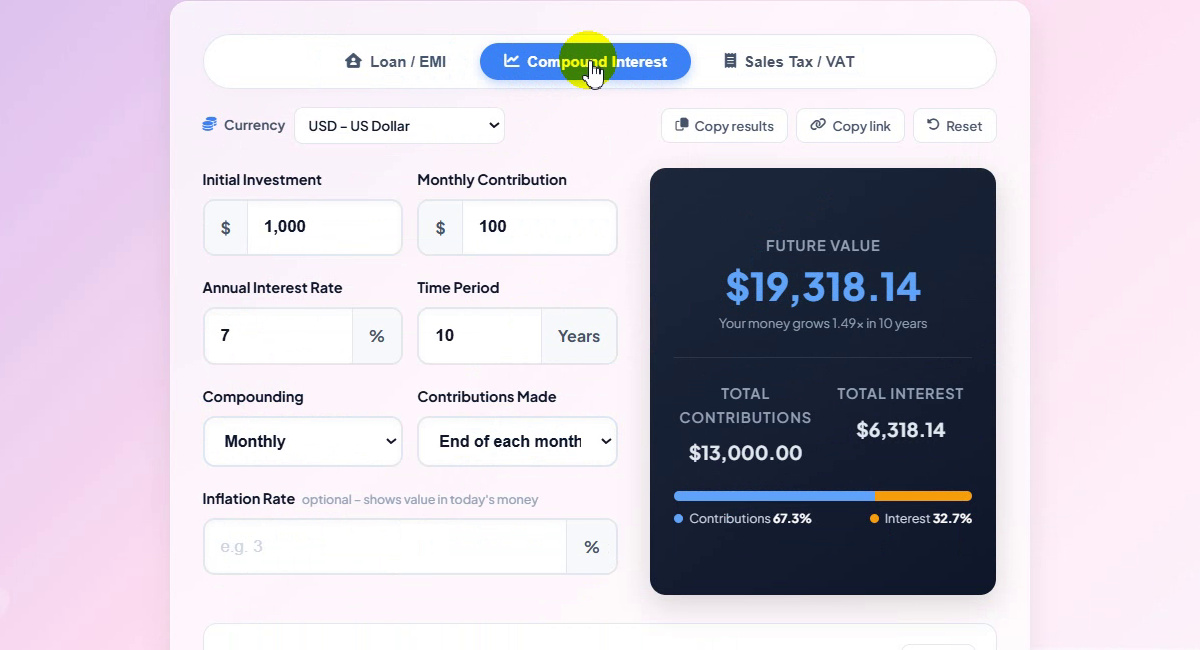
The Compound Interest tab -
Enter your savings plan
Fill in the initial investment, monthly contribution, annual interest rate and time period. With $6,000 up front, $300 a month at 6.8% for 10 years the future value is $63,178.40: $42,000.00 contributed and $21,178.40 earned in interest. Below it, Growth by Year charts contributions and interest year by year.
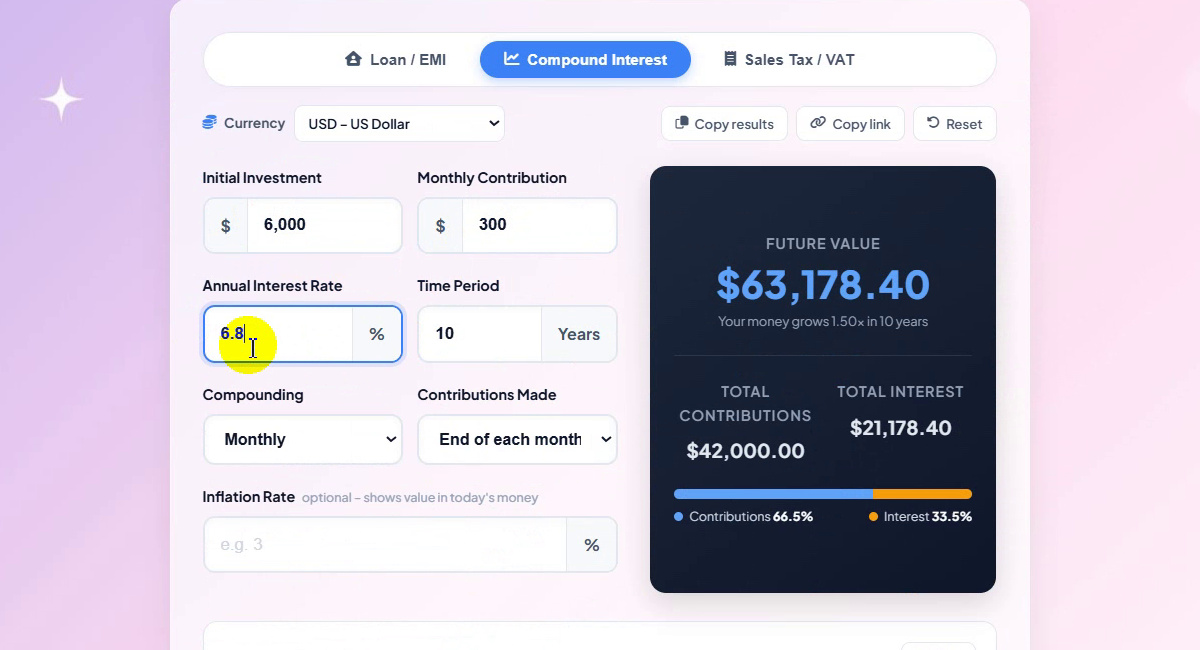
$6,000 + $300/month · 6.8% · 10 years -
Choose how often interest compounds
Open Compounding: Monthly, Daily, Quarterly, Semi-annually or Annually. Over 5 years the same plan grows to $29,788.65 compounded monthly, $29,806.78 daily, $29,751.62 quarterly and $29,697.19 semi-annually.
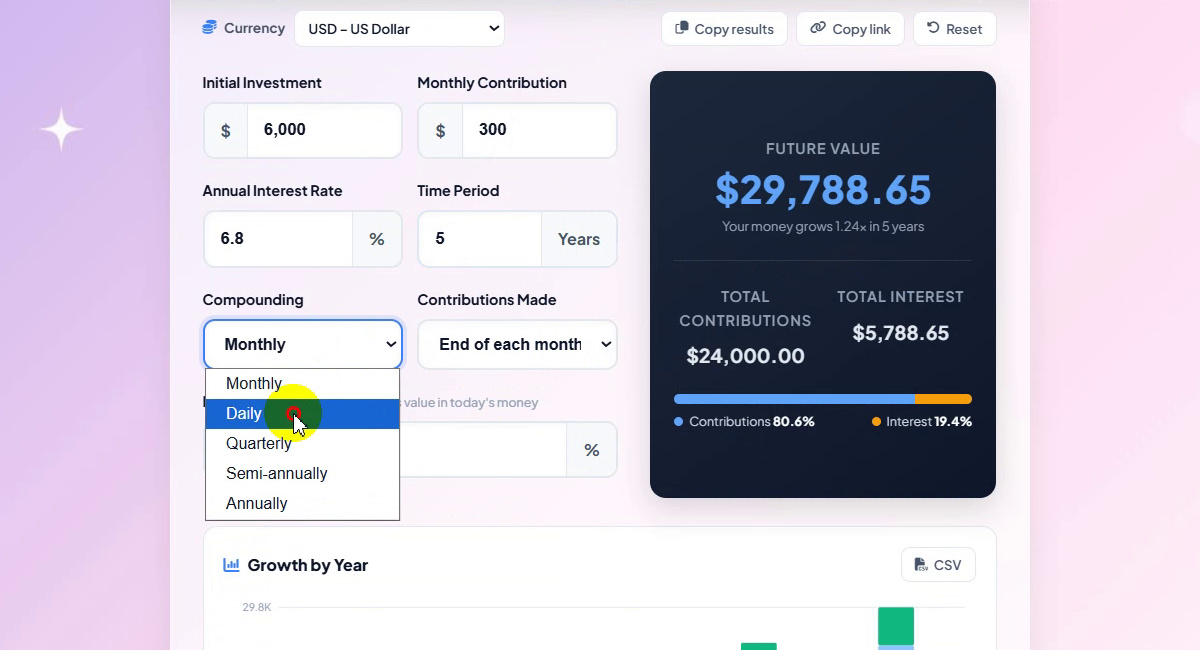
Compounding frequency -
Set when you contribute
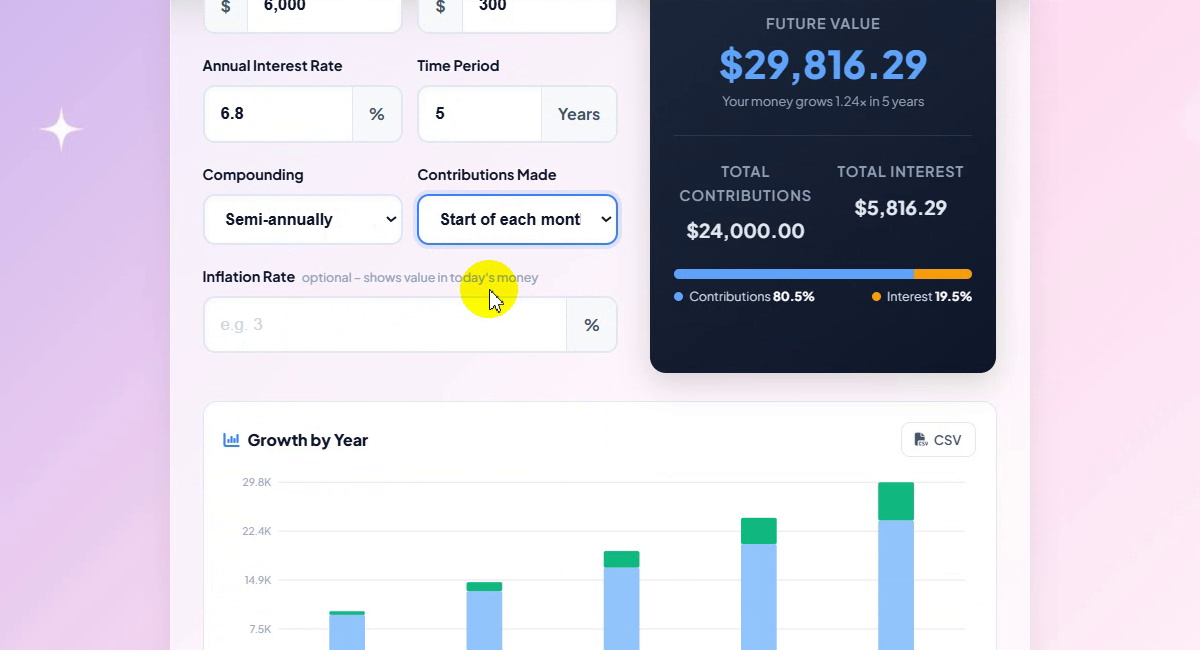
Contributions made can be at the end or the start of each month. Paying in at the start lifts the semi-annual result from $29,697.19 to $29,816.29. The optional Inflation rate field shows the value in today's money, and the table lists contributions, interest and balance for each year.
Start of each month -
Copy or share the result
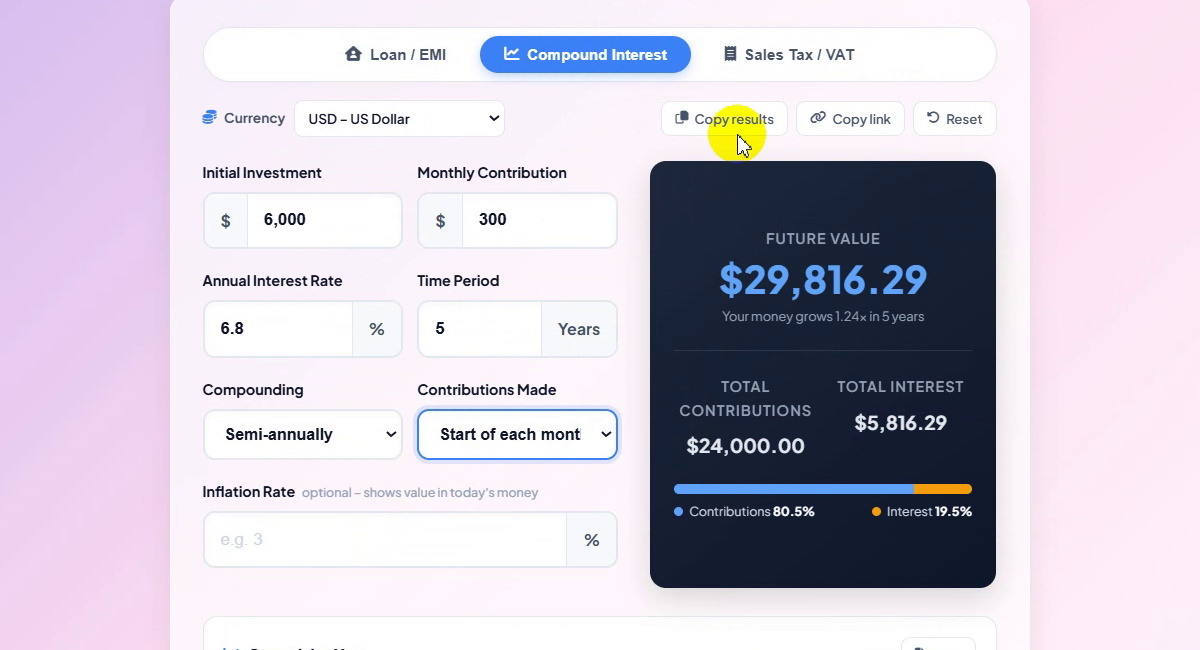
Use Copy results to copy the figures, Copy link to share the exact scenario, or Reset to start again. The address bar keeps your inputs, so a shared link opens the same numbers.
Copy results · Copy link · Reset -
Add sales tax or VAT
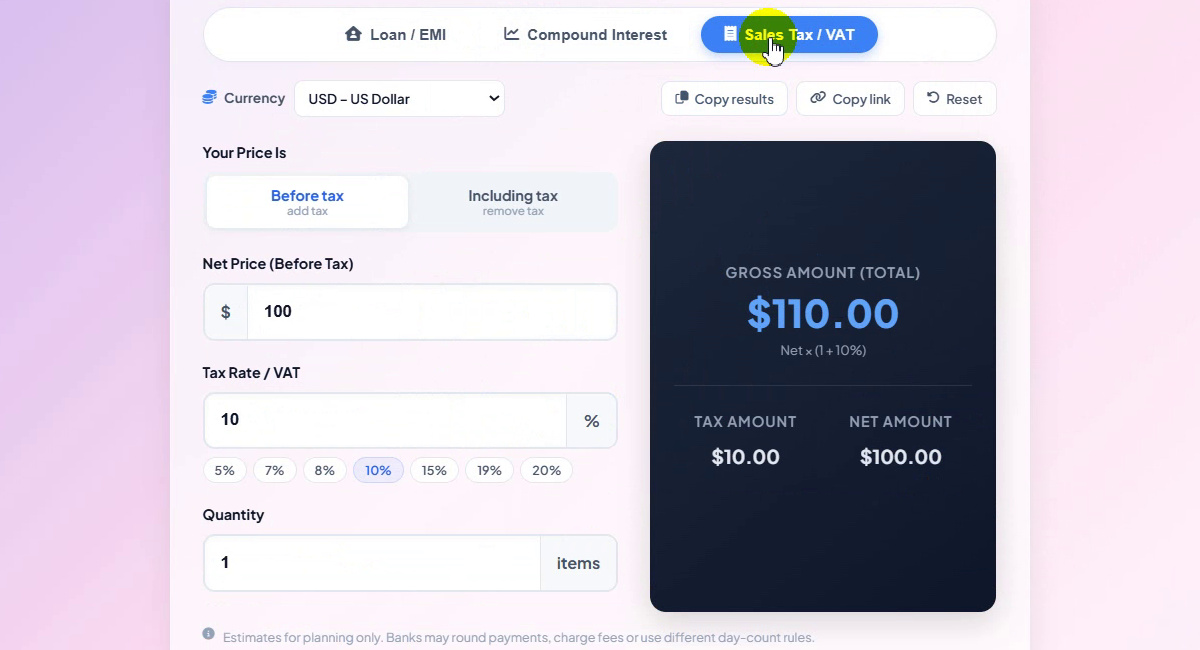
Open the Sales Tax / VAT tab. Choose Before tax (add tax) or Including tax (remove tax), then enter the price and the rate, or tap a preset: 5%, 7%, 8%, 10%, 15%, 19% or 20%. A net price of $100 at 10% gives a gross amount of $110.00 with $10.00 tax.
$100 + 10% = $110.00 -
Use the quantity
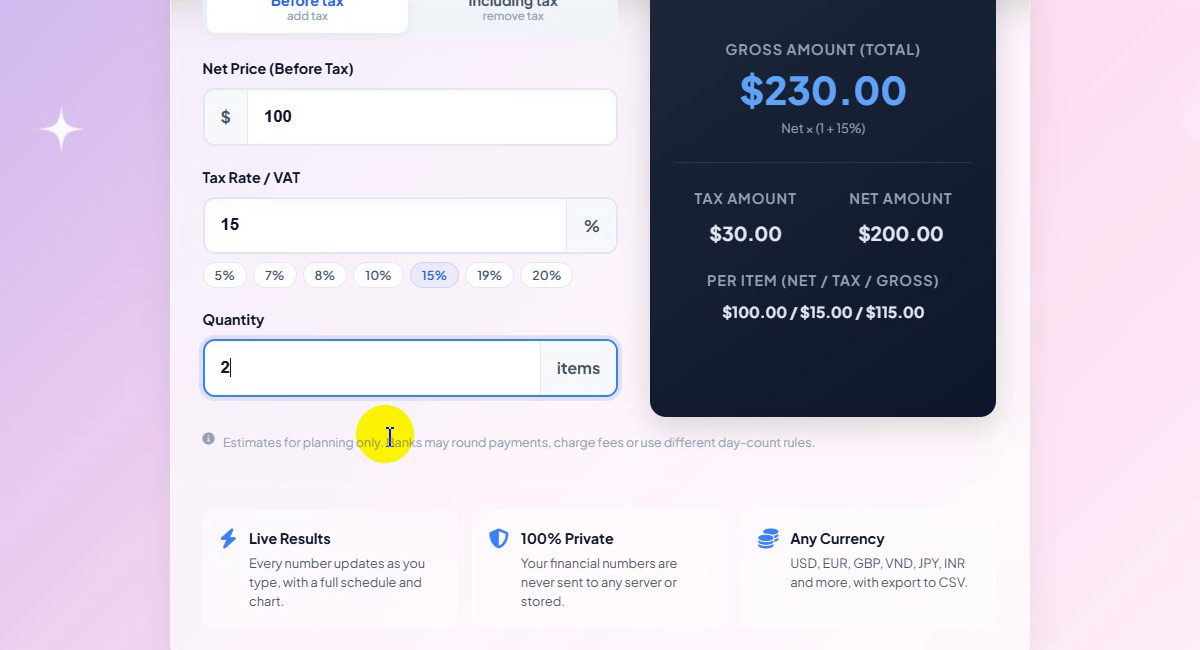
Set the Quantity to price several items. With $100 at 15% and 2 items the gross amount is $230.00: tax $30.00 and net $200.00, or $100.00 / $15.00 / $115.00 per item.
2 items · 15% · $230.00
Our Examples at a Glance
| Scenario | Result |
|---|---|
| Loan $50,000 · 10% · 8 years | $758.71 a month, interest $22,835.99, total $72,835.99 |
| Save $1,000 + $100/month · 7% · 10 years | $19,318.14 (interest $6,318.14) |
| Save $6,000 + $300/month · 6.8% · 10 years | $63,178.40 (interest $21,178.40) |
| Same plan · 5 years · monthly / daily | $29,788.65 / $29,806.78 |
| Same plan · 5 years · quarterly / semi-annually | $29,751.62 / $29,697.19 |
| Semi-annually, paid at the start of each month | $29,816.29 |
| $100 + 10% VAT | $110.00 |
| 2 items × $100 + 15% VAT | $230.00 (tax $30.00) |
Results are estimates for planning: banks may round payments, charge fees or use different day-count rules.
Tips
- Compare loan terms. Change only the term and watch the monthly payment and the total interest move in opposite directions.
- Try an extra payment. Even a small extra monthly amount shortens the schedule and cuts the interest.
- Pay in early. Contributing at the start of each month earns one extra month of interest on every deposit.
- Removing VAT from a receipt? Choose Including tax and enter the gross price.
- Need other numbers? Try the Currency Converter or the Invoice Generator, and find more guides on our blog.
Loan, savings or VAT — free, no sign-up, results as you type.