How to Merge PDF Files Online for Free (Combine Into One)
Contracts with attachments, a cover page plus a report, scanned pages from different days: sooner or later you need several PDFs in one file. Merging them takes a few clicks and no software. This guide shows how to merge PDF files online with ToolTiny, how to control the order, and what a real example looks like: three files that became one 5-page PDF.
When You Need to Merge PDFs
- Sending one attachment. One file is easier to email, upload or print than five.
- Building a document pack. Cover page, main report and appendix in a single file.
- Combining scans. Pages scanned in separate batches become one document.
- Application forms. Many portals accept only one PDF, so ID copy, form and certificates must be combined.
- Archiving. Keep related invoices or monthly reports together.
Watch the Whole Process
The recording selects three PDFs, merges them and checks the page order in a PDF reader.
How to Merge PDF Files, Step by Step
-
Open Merge PDF
In the top bar open PDF Tools and choose Merge PDF, or go to tooltiny.com/merge-pdf.html.
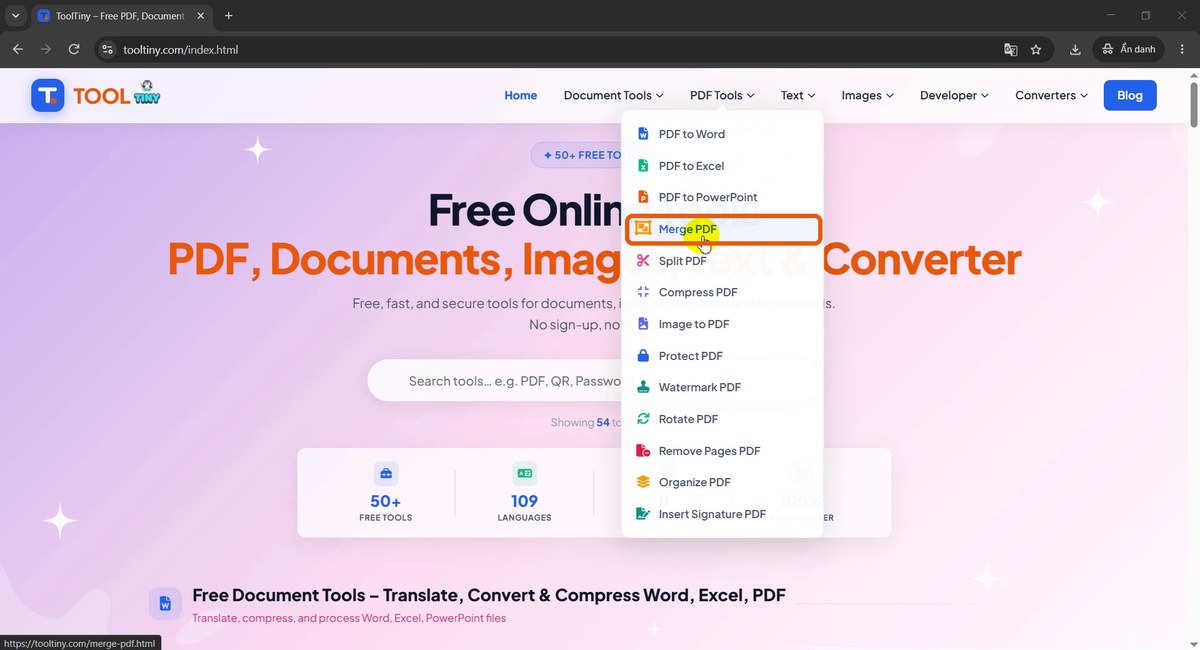
PDF Tools → Merge PDF -
Select your PDF files
The page is titled Merge & Combine PDF Files Into One Document. Click the upload box and select all the PDFs at once: hold Ctrl (or Shift) in the file dialog, or drag the files into the box. We picked three sample files.
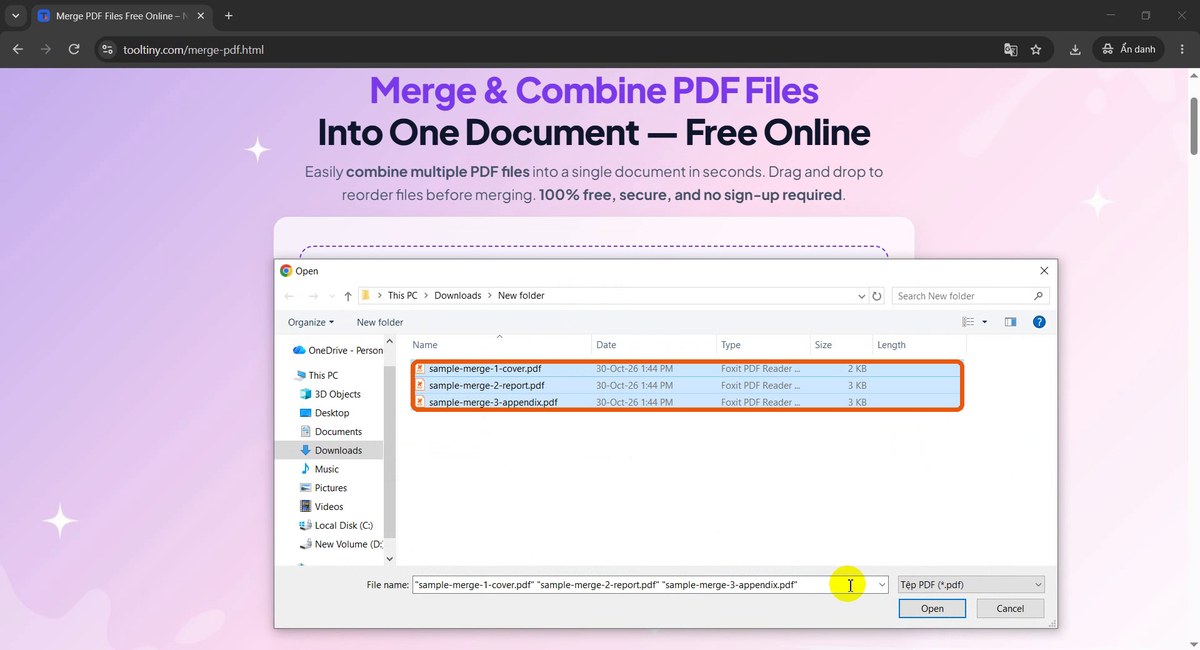
Select several PDFs at once -
Check the list and the order
The files appear under Drag to reorder with a number, a name and a size, and the counter shows 3 files. The number is the position in the final PDF. Drag a file by the handle on its left to change the order, use the X to remove one, or Add more PDF files if you forgot one.
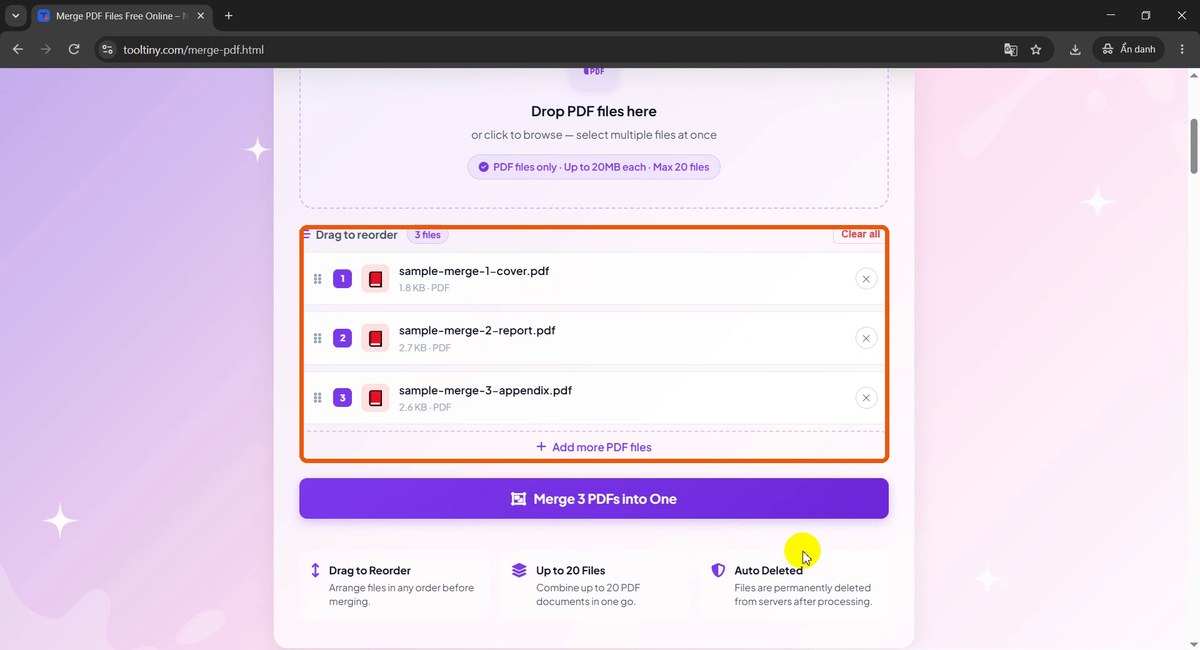
Files in merge order -
Click Merge PDFs into One
The purple button shows the number of files, here Merge 3 PDFs into One. Click it once.
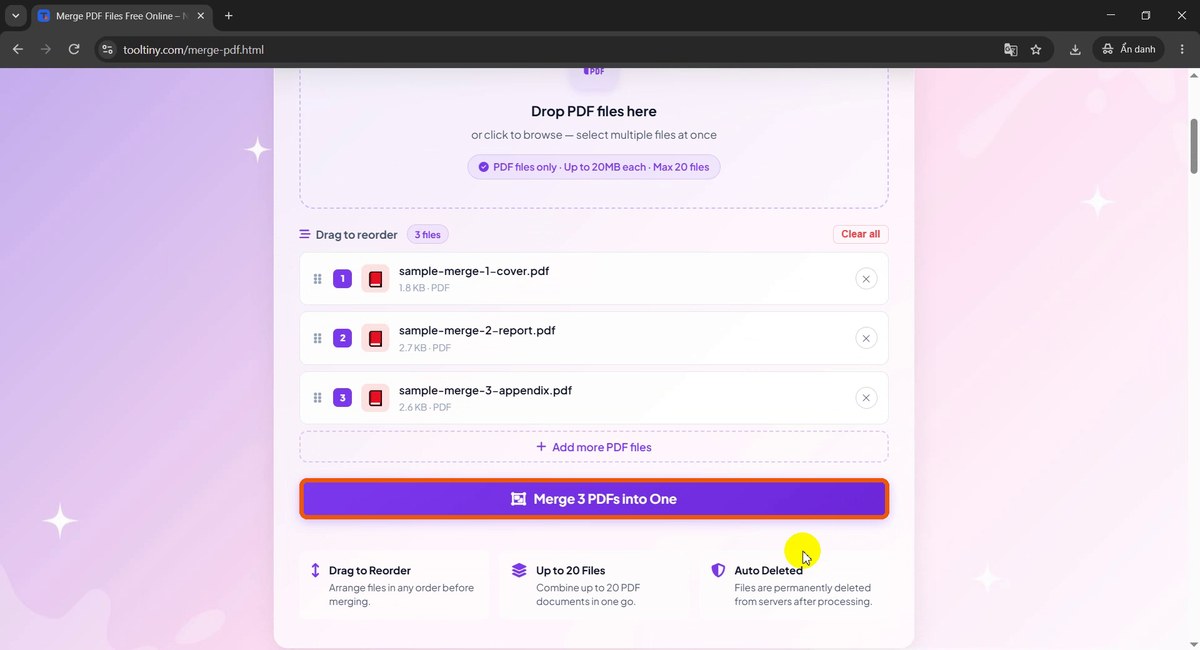
Merge 3 PDFs into One -
Wait a moment
The page shows Uploading files with a percentage and the button changes to Merging.... For small files this takes a few seconds. Keep the tab open until it finishes.
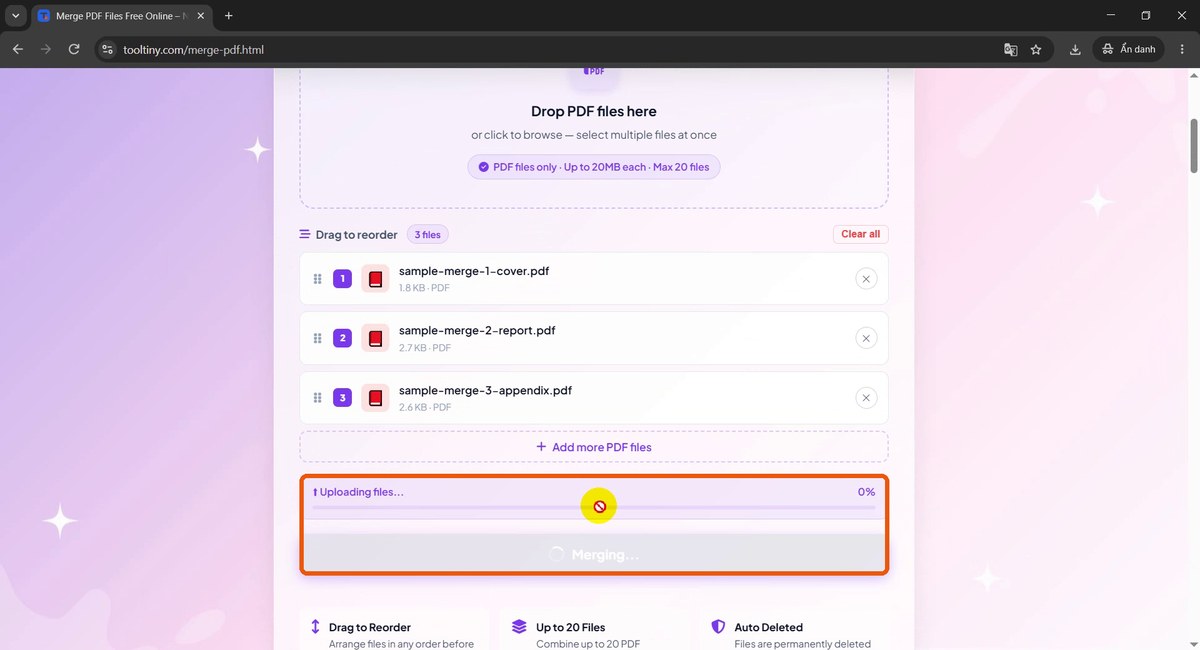
Uploading and merging -
Download the merged PDF
When the bar reaches 100% you see Merge complete! and Your merged PDF is ready!. Click Download Merged PDF and save the file.
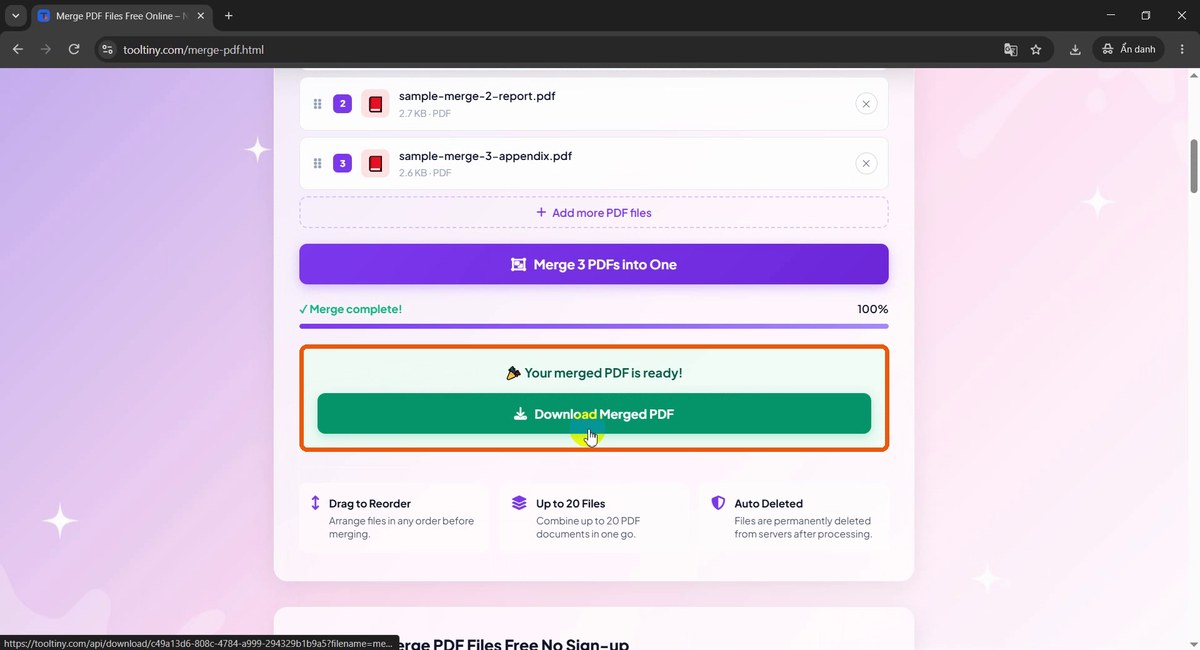
Download Merged PDF -
Find the file
The download is named
merged.pdf. In our folder it is 5.21 KB, and the three original files are still there unchanged.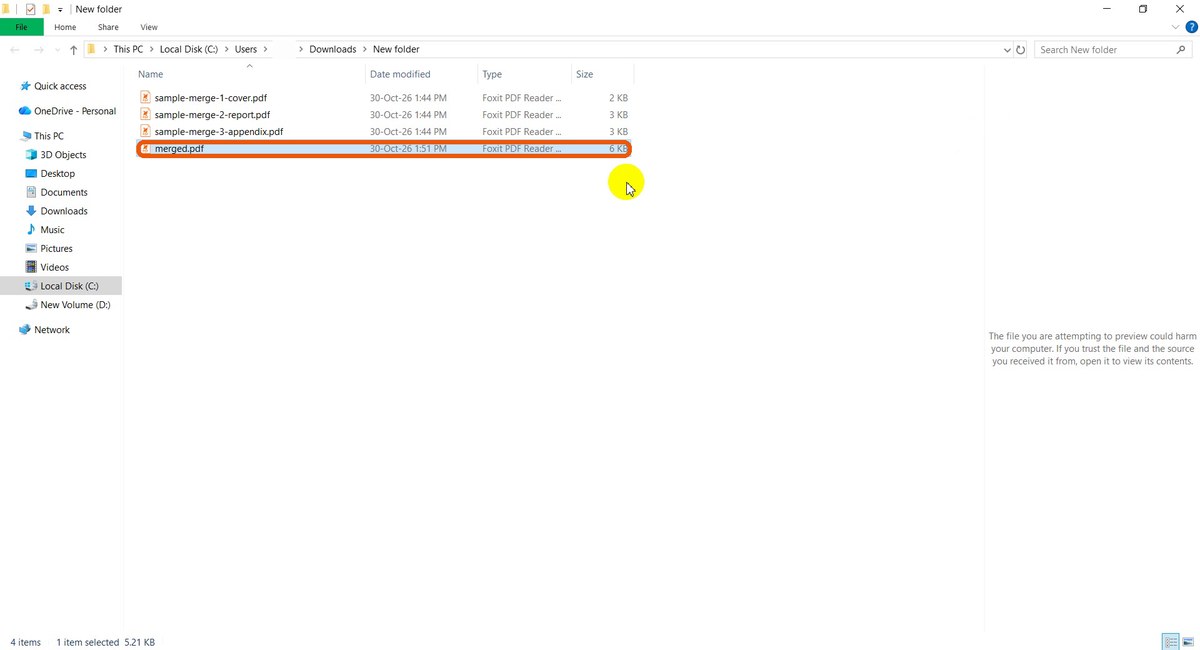
merged.pdf next to the originals -
Check the first pages
Open
merged.pdfin any PDF reader. It starts with the Cover Page (file 1 of 3), followed by the Quarterly Report pages.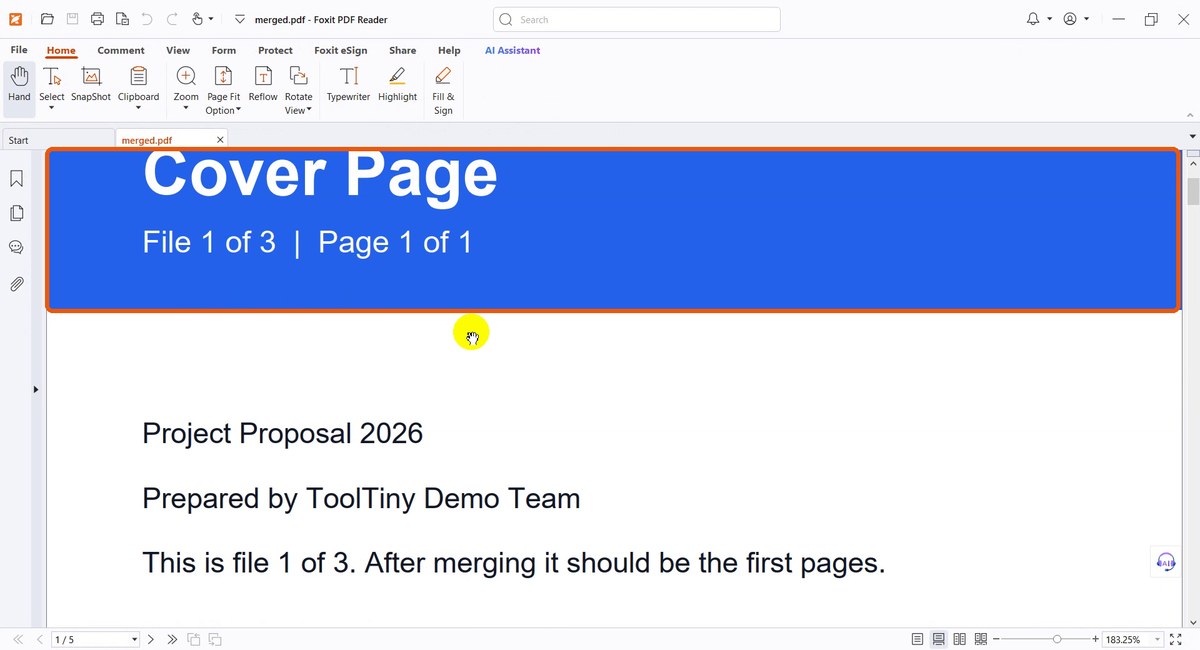
Page 1: the cover -
Check the last page
Scroll to the end. The last page is Appendix, file 3 of 3, page 2 of 2, and the reader shows 5 pages in total, 1 + 2 + 2, in the order we set.
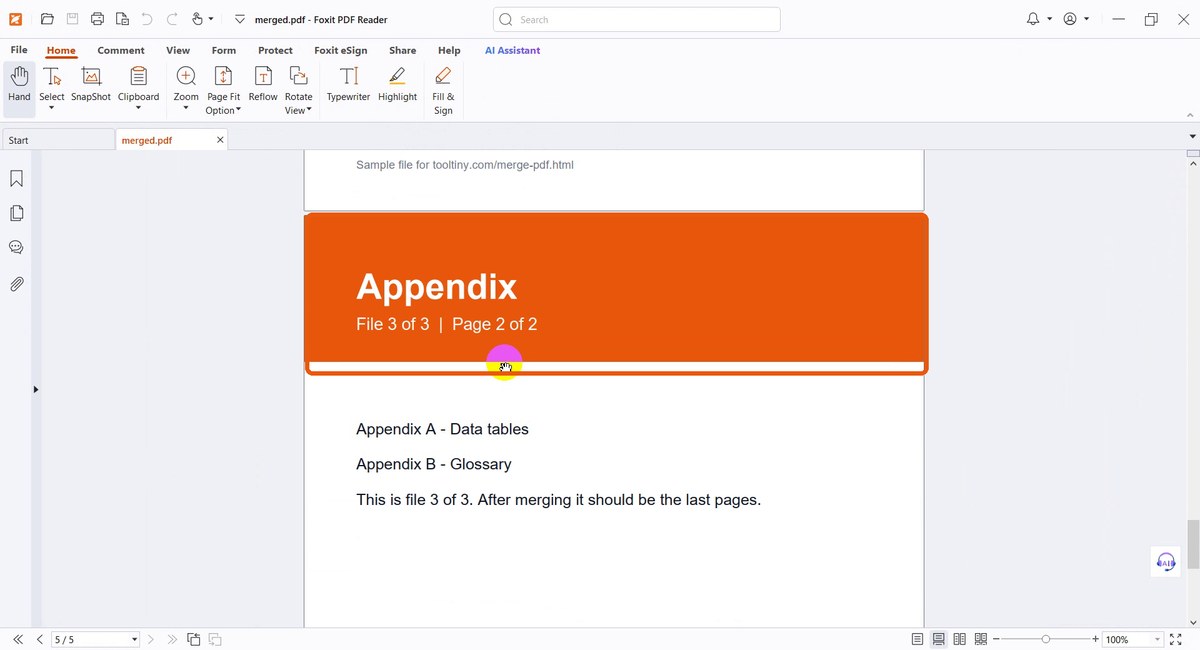
Page 5: the end of the appendix
What We Got
The merged file contains every page of every file, in the order of the list:
| Position | File | Pages |
|---|---|---|
| 1 | sample-merge-1-cover.pdf | 1 |
| 2 | sample-merge-2-report.pdf | 2 |
| 3 | sample-merge-3-appendix.pdf | 2 |
| Result | merged.pdf (5.21 KB) | 5 |
The order of the numbers on the page labels (1.1, 2.1, 2.2, 3.1, 3.2) matched the order in the list, and the originals were not changed. If you want a different order, rearrange the list before you click merge.
Limits and What to Expect
- Files: up to 20 files per merge.
- Size: up to 20 MB per file. Compress a larger file first with Compress PDF.
- Format: PDF files only. To combine images, convert them to PDF first.
- Privacy: files are permanently deleted from the servers after processing.
- Cost: free, with no sign-up.
Tips for a Clean Merged PDF
- Name files with numbers. Names like 01-cover, 02-report make the order obvious in the list.
- Check the order before merging. The number next to each file is its position in the final PDF.
- Open the result. Scroll through all pages and confirm the page count before you send it.
- Keep the originals. The tool does not change them, so you can always merge again in a different order.
- Result too big? Reduce it with Compress PDF.
- Need only some pages? Cut them out with Split PDF before merging.
- Mind confidentiality. Files are uploaded for processing. Do not upload documents you are not allowed to share.
Select your files, set the order and download one PDF. Free, no sign-up.